Game Engine or Framework? 🎮👩💻
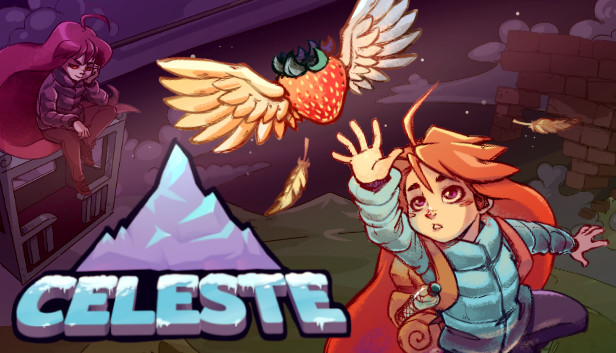
Image of popular indie game, Celeste
Game development can be overwhelming when first starting. I remember spending endless time mapping out the most optimal approach to making my first game. The funny part was, I didn’t even know how to make games.
In this post, I will give my advice for beginner programmers on the best way to start game development. As I am a software developer myself, this will mainly be focused on the coding side of things.
1. Picking your Tools
One of the first major decisions you’ll have to make when starting game development is picking the right tools. I mean, there’s a million different options for each task. For game engines there’s:
- Unity
- Unreal
- Godot
- GameMaker Studio
- Bevy
and the list goes on…
You don’t even have to use a game engine at that. I for one prefer working with game frameworks and graphics libraries. For a beginner just getting into the field, choosing between this endless selection can be a deterrent.
The solution? Just pick one and go. I promise you that the tool you pick for developing games will not matter for your first few projects. You’re not going to be maxxing out its performance or find that its missing tools for a simple game. That being said, the choice between a game engine and a framework/library is an important one.
2. Engine, Framework, or Library?
For most people, a game engine is the way to go. There are so many features that frameworks and libraries lack. When starting off, having these ready-made for you can make initial development a lot easier. The main two engines I recommend are
and .However, there are some people that would be better suited with a framework/library. If you are primarily a programmer, wanting to learn to code through game development, this route could be the way to go. One of the most effective tools for teaching myself how to code was making games in
. choosing a game framework over something an engine forced me to come up with my own solutions for problems that don’t even exist with pre-packaged software. One example is the game window. Unity starts you off with a window, environment, light, and a camera. Pygame, and other similar frameworks, give you nothing. You have to code the window yourself. Now since Pygame is written in Python, the process is very simple. Here’s an example:import pygame
import sys
pygame.init()
screen = pygame.display.set_mode((1280, 720))
while True:
for event in pygame.event.get():
if event.type == pygame.QUIT:
pygame.quit()
sys.exit()
pygame.display.update()As you can see, getting started is not quite as easy. However, this comes a massive benefit. Even in this short code snippet, several import programming concepts are displayed:
- Creating variables
- Calling methods
- While loops
- For loops
- Conditionals
Even just creating a window teaches you more programming skills than most other forms of learning. The cherry on top is the visual gratification of seeing the window that you just creating with text on a document. That type of satisfaction cannot be recreated with a pre-packaged game engine. NOTE: Game development with a framework is exponentially slower. If you need a game shipped fast, I cannot recommend this route.
Conclusion
If you are a programmer focused on learning how to code, I recommend trying out a game framework. Some that I recommend are:
- Pygame
- Monogame
- Love2D
If you are just someone that wants to get into game development but couldn’t care less about coding, I recommend using a game engine. The two that I recommend are:
- Unity
- Godot